About Smart Help
Smart Help is an in-context help tool that shows screen-specific content to serve our customers and set them up for success. Smart Help provides access to multiple types of knowledge, such as knowledge base articles, product help, support references, and training content. Custom training materials and documents can also be mapped to Smart Help.
In Infor OS Portal, Smart Help is a widget that is automatically enabled.
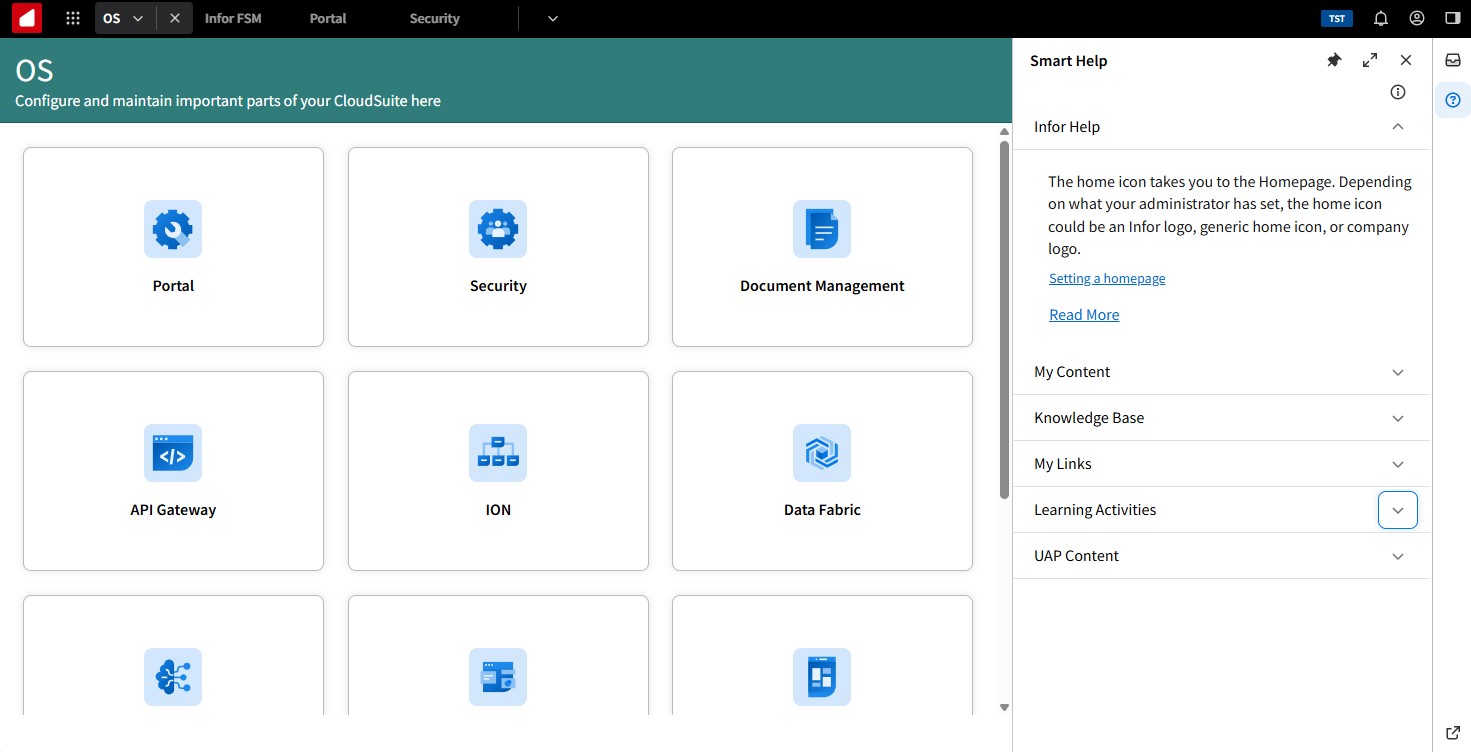
How Smart Help works
ION API Gateway and ION API Request Calls are used to search content repositories and retrieve information that matches content for a corresponding screen. A requirement for configuring Infor applications in OS Portal is to implement and pass Infor Business Context (IBC) messaging. These IBC messages contain logical IDs that identify the application and screen IDs that correspond with a specific screen in the application.
When a specific logicalID and screenID are linked to an application, we can link content to that unique logicalID/screenID combination. As a user navigates an application, content with the matching logicalID/screenID combination is displayed in the Smart Help panel.
Prerequisites
This section contains the prerequisites for Smart Help.
Version requirements
For Infor User Adoption Platform, version 5.43 or later is required. Other channels don't have special version requirements.
Content
On the Infor OS and application side, applications must implement and pass Infor Business Context (IBC) messaging. This is an Infor OS Portal standard. Specifically, applications must pass unique screen IDs and logical IDs in their IBC messages.
Infor-delivered content must contain screenIDs that are embedded as attributes in the content so that the content can be matched to Smart Help.
Permissions
Multiple content repositories can be accessed. Each repository is required to have unique permission requirements. This table shows the required permissions for each repository:
| Smart Help Channel | Repository | Permissions required |
|---|---|---|
| Infor Help | docs.infor.com | None |
| Knowledge Base | Infor Concierge/Infor Customer Portal | The email user ID that is used to sign in to Infor OS Portal must match the email user ID for Infor Concierge. |
| UAP Content | Infor User Adoption Platform | Purchased Infor User Adoption Platform license and setup as described in this document. |
| My Content/My Links | Infor Document Management | User access to Infor Document Management. |
Infor OS administrator access
These administrative permissions are required for Infor OS applications:
- Set up applications in Infor OS
- Add and configure security roles
- Configure applications in ION API Gateway
The Context viewer
The Context Viewer widget displays the Infor Business Context (IBC) messages passed by the application. These messages include screen IDs used to link Smart Help content to individual screens.
The Context Viewer helps developers intercept and analyze context messages sent from applications. It displays JavaScript Object Notation (JSON) messages in two formats: JSON Object View and JSON Text View.
For Smart Help, the JSON Object View shows IBC messages, including the screen IDs and logical IDs used to call Smart Help from the application. The logical ID identifies the product, and the screen ID identifies a specific page within that product.
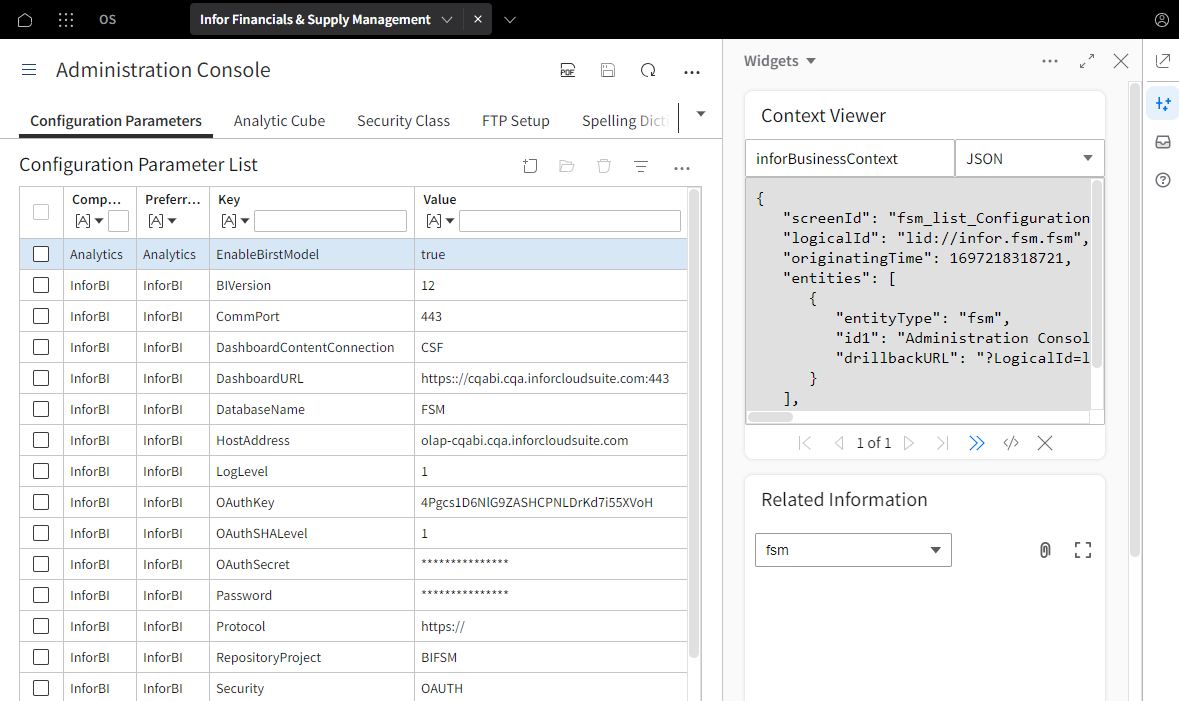
When the Context Viewer is enabled, the screen ID can be identified and used to troubleshoot or upload customized content to Smart Help.