Lookups
The appearance of the lookups varies depending on whether responsive layout is enabled for your environment.
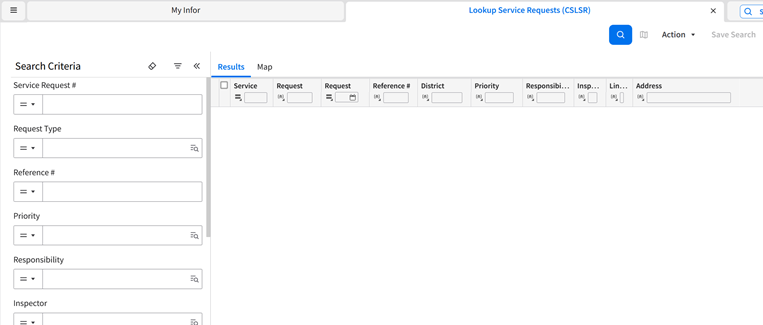
If responsive layout is enabled, the search criteria fields are shown on the left side of the page.
The search results are shown on two tabs:
- Results: Shows the search results in a grid.
- Map Shows the search results on the map.
If responsive layout is not enabled, lookups have three tabs:
- Search Criteria: Shows the fields that you use to enter your search criteria.
- List: Shows the search results.
- Map Shows a map of the records in the search results.
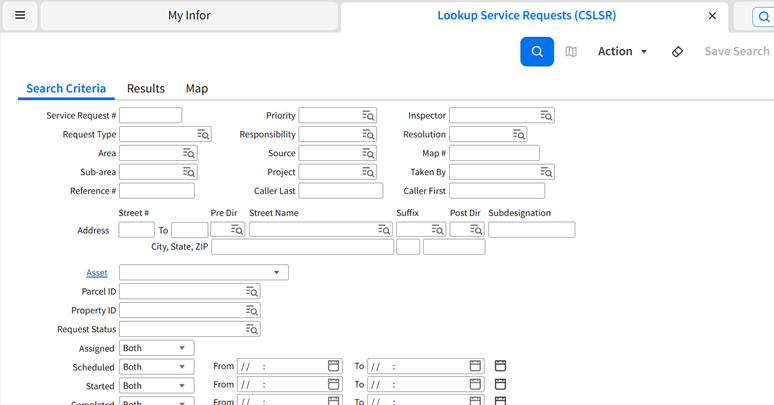
Each record in your search results shows summary information and an ID link. Click this link to load the record into the associated InfoViewer. To sort search results, click a column header in the lookup grid. To start a new search, click .
In some lookups you can perform tasks such as creating and editing records. Depending on the lookup, use the button at the top of the lookup or the , , and buttons in the lookup results grid.
You can optionally save your search results as an ad hoc report.
See Saving searches.