Infor Reports page
The page has a tab for each module for which reports have been configured, such as Asset Management, Building Permits, and Work Management.
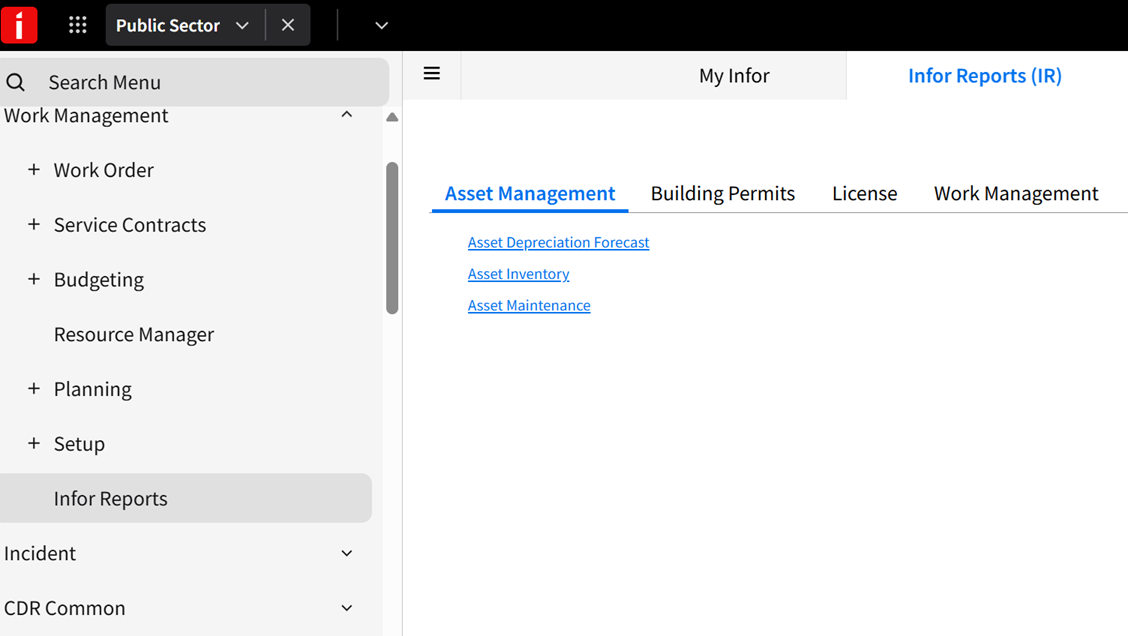
In the menu, is shown under each heading for which reports have been configured. For example, if reports are configured for the Work Management module but not Inventory, the Infor Reports page is shown in the menu but not the menu.
See Adding a report to the Infor Reports page.
Configuration
The Infor Reports is based on the standard Operations and Regulations menu as defined in the Menu configuration. If you add or rename items in the Menu configuration, you might also need to update the Reports configuration so the Infor Reports page is displayed properly.
In the Reports configuration, the page node corresponds to the Infor Reports page. The page nodes under the refer to submenus that are defined in the Menu configuration, so the names must match.
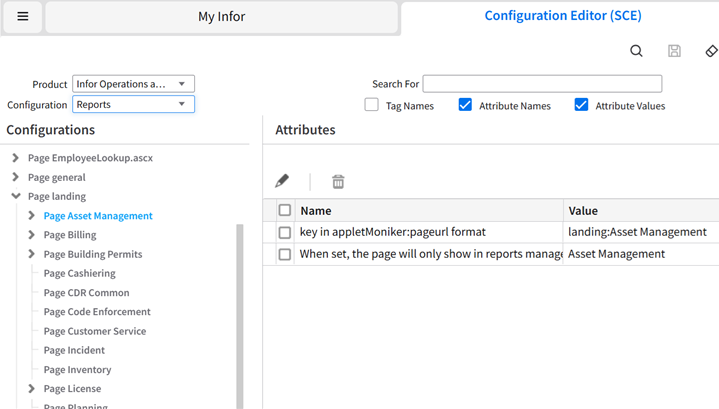
For example, if you rename the submenu in the Menu configuration to , you must also rename the page in the Reports configuration.
If you add a custom menu item in the Menu configuration, then you must add an Infor Reports section under your menu item if you want to include the Infor Reports page on your menu. Specify Hansen.Core.Reports.InforReportsPageApplet for the applet moniker.
