Calling the DetailPageGenerate service
In the Rest Services, the DetailPageGenerate service is used to generate mobile detail pages. In an on-premises environment you can generate mobile detail pages by calling this service from your web browser.
Note: The default format for Rest Services requests and responses is JSON. JSON is supported in Chrome, but other browsers may not show it correctly. For testing in browsers other than Chrome, we recommend changing the format to XML. To change the format, add
format=xml to your URL's query string, as shown in the examples below. Changing the format does not affect the data that is returned or the detail page generation.
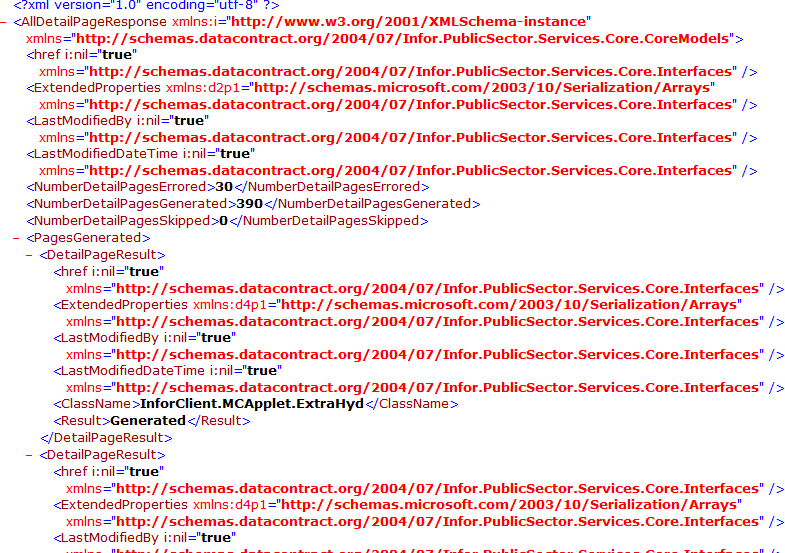
The screenshot below shows the response from the DetailPageGenerate service as it is displayed in the XML format.
- The
<NumberDetailPagesErrored>,<NumberDetailPagesGenerated>, and<NumberDetailPagesSkipped>nodes summarize the results of the process. - The
<PagesGenerated>node lists each page that was processed in a child<DetailPageResult>node. - The
<ClassName>node specifies the moniker of the detail page. - The
<Result>node specifies the result.