Menus
The menu in the mobile app provides access to a selection of queries, such as My Building Inspections or Nearby Open Cases. Because different users require access to different information, you can define a separate menu for each user profile.
Each menu consists of a list of groupings, such as and in this example.
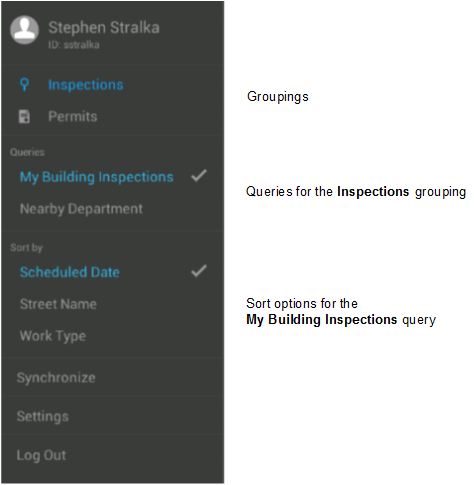
When the user selects a grouping, the menu shows a list of available queries. In this example the grouping is selected, so the menu is showing the queries defined for that grouping. If the user selects the grouping, then a different set of queries is displayed.
Similarly, when the user selects a query, the menu shows the sort options defined for that query. In this example, the query is selected, so the sort options for that query are displayed. Building inspections can be sorted by scheduled date, street name, or work type.