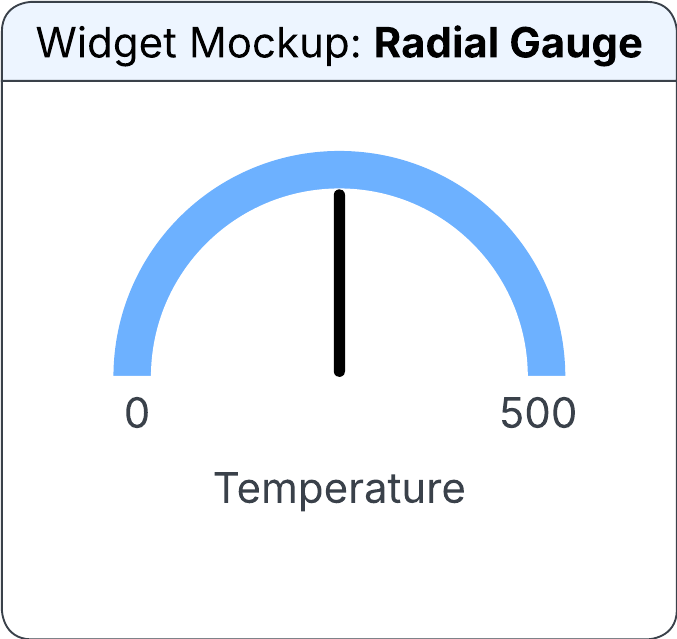
Radial Gauge widget
The widget displays a pointer value in a graphical format compared to a minimum and maximum value. The pointer indicates the selected value on the gauge. The gauge supports adding color ranges.
You can specify this information in the Configure Radial Gauge Widget section on the Widget Builder screen:
- Data Source
- The data source for the radial gauge widget.
- Horizontal Alignment
-
The horizontal position of the radial gauge in the allocated space. Possible values:
- Left
- Centre
- Right
- Vertical Alignment
-
The vertical position of the radial gauge in the allocated space. Possible values:
- Top
- Centre
- Bottom
- Source (Pointer Value)
-
The data source for the Pointer to be displayed on the widget. Possible values:
- Output Field
- Editbox
- Output Field
- The output field from which the pointer value is determined. This field is displayed only if the Source (Pointer Value) field is set to Output Field.
- Edit Box
- The value for the pointer value that is displayed on the widget. This field is displayed only if the Source (Pointer Value) field is set to Editbox.
- Source (Pointer Colour)
-
The source from which the pointer color is displayed. Possible values:
- Output Field
- Colour
- Output Field
- The output field from which the conditional formatting is applied. This field is displayed only if the Source (Pointer Colour) field is set to Output Field.
- Colour
- The color of the pointer to display on the widget. You can select from pre-approved IDS colors. This field is displayed only if the Source (Pointer Colour) field is set to Colour.
- Source (Minimum)
-
The source from which the absolute minimum value for the radial gauge widget is determined. Possible values:
- Output Field
- Editbox
- Edit Box
- The minimum value for the radial gauge. This field is displayed only if the Source (Minimum) field is set to Editbox.
- Output Field
- The output field from which the minimum value is determined. This field is displayed only if the Source (Minimum) field is set to Output Field.
- Source (Maximum)
-
The source from which the maximum value for the radial gauge is determined. Possible values:
- Output Field
- Editbox
- Edit Box
- The maximum value for the radial gauge. This field is displayed only if the Source (Maximum) field is set to Editbox.
- Output Field
- The output field from which the maximum value is determined. This field is displayed only if the Source (Maximum) field is set to Output Field.
- Source (Label)
-
The source from which the text is displayed. Possible values:
- Output Field
- Editbox
- Edit Box
- The text to be displayed on the radial gauge widget. This field is displayed only if the Source (Label) field is set to Editbox.
- Output Field
- The output field from which the text is displayed on the widget. This field is displayed only if the Source (Label) field is set to Output Field.
- Style
-
The style of the radial gauge. This determines the angle for the radial gauge. Possible values:
- Three-Quarter Circle (270°)
- Full Circle (360°)
- Half Circle (180°)
- Compact Arc (120°)
- From (Source)
-
The source from which the colored range starts. Possible values:
- Output Field
- Editbox
- Edit Box
- The value for the colored range starts. This field is displayed only if the From (Source) field is set to Editbox.
- Output Field
- The output field to determine the starting point of the colored range. This field is displayed only if the From (Source) field is set to Output Field.
- To (Source)
-
The source from which the colored range ends. Possible values:
- Output Field
- Editbox
- Edit Box
- The value for the colored range ends. This field is displayed only if the To (Source) field is set to Editbox.
- Output Field
- The output field to determine the ending point of the colored range. This field is displayed only if the To (Source) field is set to Output Field.
- Source (Colour)
-
The source from which the color range is determined. Possible values:
- Output Field
- Colour
- Output Field
- The output field from which the conditional formatting is applied. This field is displayed only if the Source (Colour) field is set to Output Field.
- Colour
- The range color to display. You can select from pre-approved IDS colors. This field is displayed only if the Source (Colour) field is set to Colour.