Linear Gauge widget
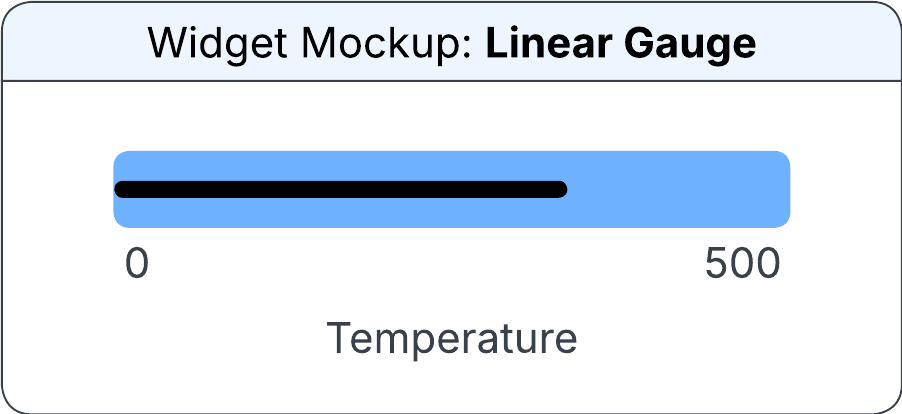
The widget displays a pointer value in a graphical format between a minimum and maximum value. The gauge can display horizontally or vertically.
The pointer indicates the selected value on the gauge by color code. You can add colored ranges to the gauge. Each range can have a different color to represent specific targets. For example:
- Below the lower specification limit: blue
- Between the lower specification limit and the upper specification limit: green
- Above the upper specification limit: red
The gauge range is determined based on the value specified in the Unit section.
The Linear Gauge must be set to a value greater than 0. For example, selecting a unit value of 10 displays the range from 0 to 100 in increments of 10.
You can specify this information in the Configure Linear Gauge Widget section on the Widget Builder screen:
- Data Source
- The data source for the gauge widget.
- Is Vertical?
- If this check box is selected, the linear gauge rotates to a vertical orientation.
- Vertical Alignment
-
The vertical position of the gauge in the allocated space. Possible values:
- Top
- Centre
- Bottom
- Horizontal Alignment
-
The horizontal position of the gauge in the allocated space. Possible values:
- Left
- Centre
- Right
Note: This field is displayed only if the check box is selected. - Source (Pointer Value)
-
The source from which the pointer value is determined. Possible values:
- Output Field
- Editbox
- Output Field
- The output field from which the widget uses to reference the pointer value. This field is displayed only if the Source (Pointer Value) field is set to Output Field.
- Edit Box
- The pointer value to be considered by the widget. This field is displayed only if the Source (Pointer Value) field is set to Editbox.
- Source (Pointer Colour)
-
The source from which the color of the pointer is determined. Possible values:
- Output Field
- Colour
- Output Field
- The output field from which the colour of the pointer is applied. This field is displayed only if the Source (Pointer Colour) field is set to Output Field.
- Colour
- The color of the pointer to display. You can select from the pre-approved IDS colors. This field is displayed only if the Source (Pointer Colour) field is set to Colour.
- Source (Minimum)
-
The source from which the minimum value for the linear gauge is determined. Possible values:
- Output Field
- Editbox
- Edit Box
- The minimum value for the linear gauge. This field is displayed only if the Source (Minimum) field is set to Editbox.
- Output Field
- The output field from which the minimum value is determined. This field is displayed only if the Source (Minimum) field is set to Output Field.
- Source (Maximum)
-
The source from which the maximum value for the linear gauge is determined. Possible values:
- Output Field
- Editbox
- Edit Box
- The maximum value for the linear gauge. This field is displayed only if the Source (Maximum) field is set to Editbox.
- Output Field
- The output field from which the maximum value is determined. This field is displayed only if the Source (maximum) field is set to Output Field.
- Source (Unit)
-
The source from which the unit is determined. Possible values:
- Output Field
- Editbox
- Edit Box
- The unit value for the linear gauge. This field is displayed only if the Source (Unit) field is set to Editbox.
- Output Field
- The output field from which the unit value is determined. This field is displayed only if the Source (Unit) field is set to Output Field.
- From (Source)
-
The source from which the colored range starts. Possible values:
- Output Field
- Editbox
- Edit Box
- The value for the coloured range starts. This field is displayed only if the From (Source) field is set to Editbox.
- Output Field
- The output field to determine the starting point of the coloured range. This field is displayed only if the From (Source) field is set to Output Field.
- To (Source)
-
The source from which the colored range ends. Possible values:
- Output Field
- Editbox
- Edit Box
- The value for the coloured range ends. This field is displayed only if the To (Source) field is set to Editbox.
- Output Field
- The output field to determine the ending point of the coloured range. This field is displayed only if the To (Source) field is set to Output Field.
- Source (Colour)
-
The source from which the color range is determined. Possible values:
- Output Field
- Colour
- Output Field
- The output field from which the conditional formatting is applied. This field is displayed only if the Source (Colour) field is set to Output Field.
- Colour
- The range colour to display. You can select from pre-approved IDS colours. This field is displayed only if the Source (Colour) field is set to Colour.