Changeover
A changeover is the transition from one production run to another. This process involves stopping the production line from re configuring machines or adjusting required for producing the new material. During this time, machines do not produce output, resulting in downtime loss (referred as a setup duration). Changeovers represent a significant source of efficiency loss. Effective scheduling and efficient execution help minimize the frequency and duration of changeovers.
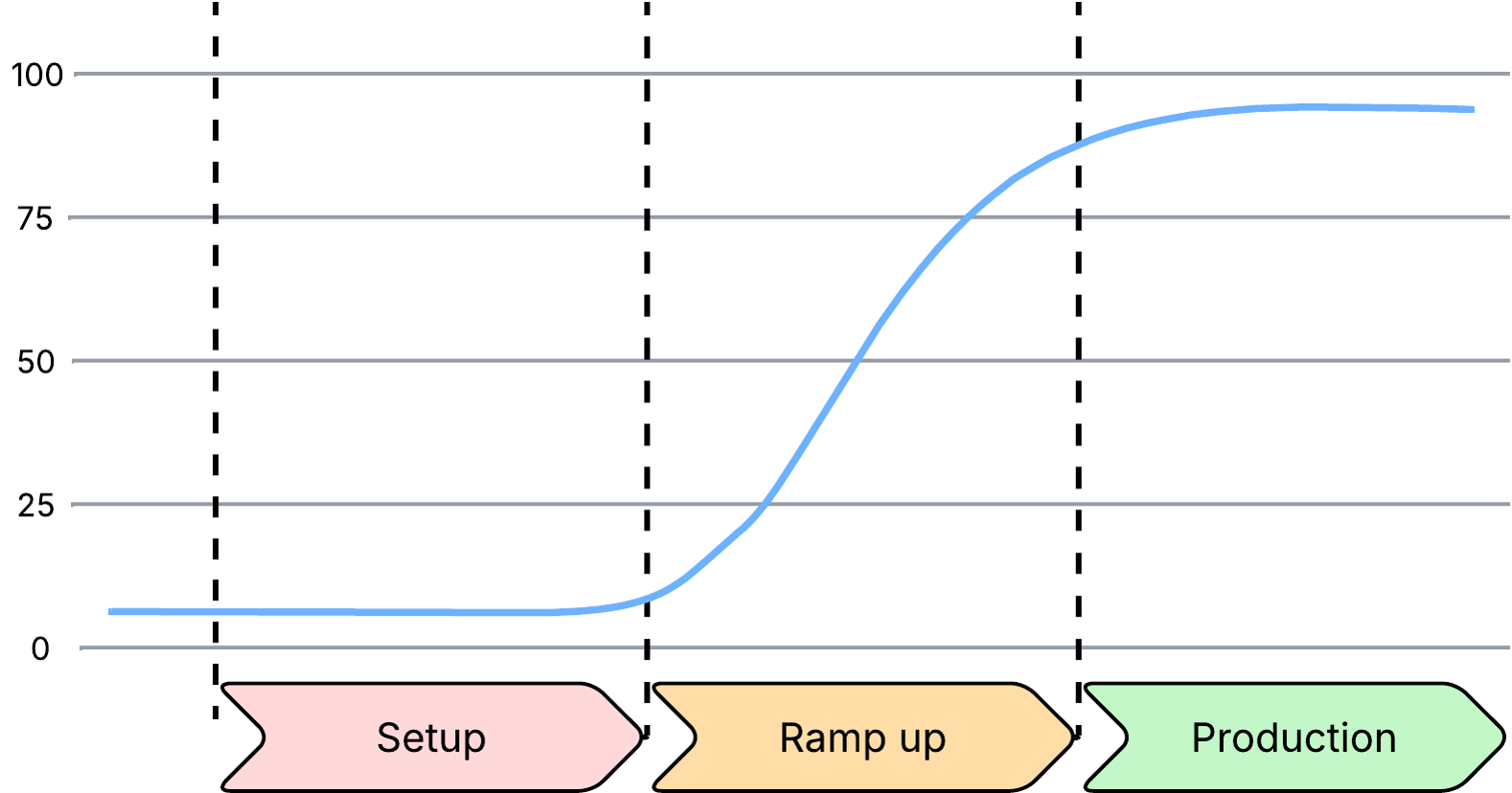
Changeovers consist of these phases:
- Setup: Preparation of the line for the next production run.
- Ramp-up: Operation at reduced speed while adjustments are completed.
- Production: Full production resumes after setup and ramp-up are complete.
Setup Mode
When a line is configured to record setup, a new setup period is started as soon as the production run starts. The line remains in the setup mode until the setup period is closed. The method used to close the setup period is defined by the Setup Mode configured on the line. The available options include:
- No: Setup is not recorded on the line.
- Manual: Setup is ended manually by the operator using the operator dashboard.
- Automatic: Setup ends automatically using one of these methods:
- OPC Item: The PLC sends a signal to an OPC item to end the setup period.
- Unit Count on Machine: The setup is ended when the number of recorded unit counts reaches a defined threshold.
- Inventory Created on Job: The setup ends when the number of inventory packs created reaches a defined threshold.
- Speed > X% Target: The setup ends when the speed of the line reaches a defined threshold.
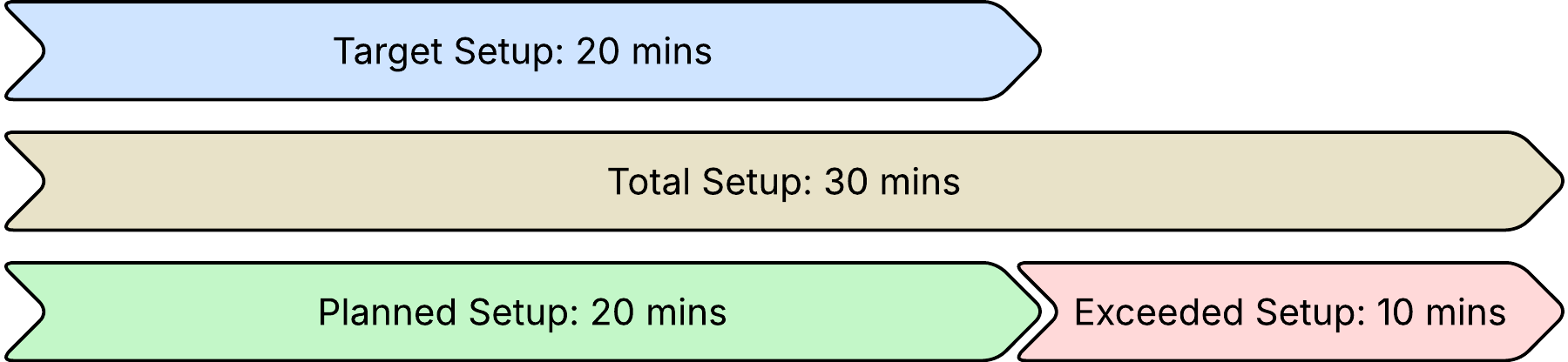
Once the setup ends, the application compares the total setup period to the target setup period defined on the production run. The planned setup period is assigned the default planned setup reason. If the total setup period exceeds the target setup period, the planned setup period is assigned the default planned setup reason, and the exceed setup period is assigned the default exceeded setup reason. The operator is then prompted to provide the real reason for exceeding the target setup duration.
Ramp Up Mode
Once setup is completed and products begin being produced, the line may take some time to reach full operating speed. This period is referred to as ramp-up duration.
When a line is configured to record ramp up, a new ramp up period starts immediately after the setup period ends. The line remains in ramp up until the ramp up period is closed. The method used to close the ramp up is defined by the Ramp Up mode configured on the line. The available options include:
- No: Ramp up is not recorded on the line.
- Manual: Ramp up ends manually by the operator using the operator dashboard.
- Automatic: Ramp up ends automatically using one of the following methods:
- OPC Item: The PLC sends a signal to an OPC item to end the ramp up period.
- Unit Count on Machine: The ramp up period ends when the number of recorded unit counts reaches a defined threshold.
- Inventory Created on Job: The ramp up period ends when the number of created inventory packs reaches a defined threshold.
- Speed > X% Target: The ramp up period ends when the speed of the line reaches a defined threshold.
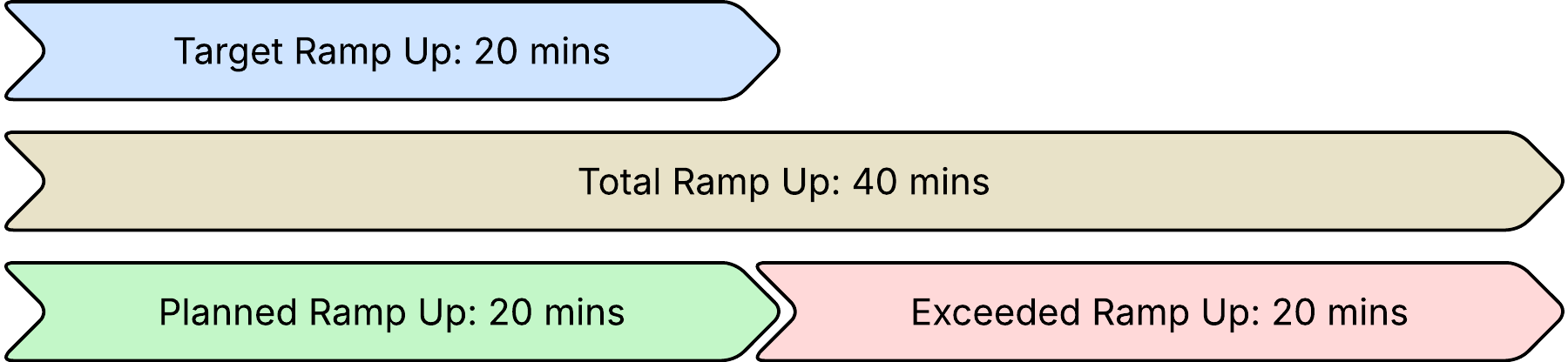
Once a ramp up begins, the application compares the total ramp up period to the target ramp up period defined on the production run. The planned ramp up period is assigned the default planned ramp up reason. If the total ramp up period exceeds the target ramp up period, the planned ramp up period is assigned the default planned ramp up reason, and the exceeded ramp up period is assigned the default exceeded ramp up reason. The operator is then prompted to provide the real reason for exceeding the target ramp duration.