Adding a repository location
- Click . The Add a new SVN Repository window is displayed.
- Click . The repository is now added in SVN.
The figure here shows the result of adding a repository location:
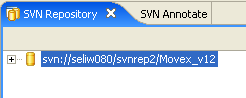
The figure here shows the result of adding a repository location: