Infor M3 Connection
This table shows the fields to complete when configuring a connection to an Infor M3 server in order to query data using the InforM3 activity node:
Information about system parameters that can be configured to optimize the JDBC connection are in another document. For more information about connection pooling properties for Infor M3, see the Infor Process Automation Guide.
| Parameter | Description |
|---|---|
| Configuration Name |
The name of the configuration that this connection is associated with. You can have one Infor M3 connection per configuration. More information about configuration sets is available in another section.
Note:
If you have selected to edit this connection from within a configuration set, the name of the set is displayed and is not editable. |
| MI Host | Host name/IP address for the Infor M3 server. |
| MI Port | Infor M3 server port. |
| User | Infor M3 user ID (16 characters maximum). |
| Password | Infor M3 user password. |
| Encryption Key | Optional. Key used for encryption and decryption. |
| Max Records | Maximum number of records to retrieve per fetch. |
| Test Connection |
After saving your configuration, click this button to test the new or updated connection. Alternatively, click Actions > Test Connection. If the properties are set up correctly, a success message appears. If the properties are not set up correctly, an error message appears.
Note:
The success message looks like this: 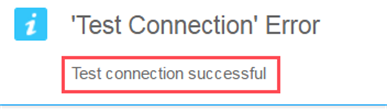
Disregard the "Test Connection Error" text. |