Example: changing an Infor Process Automation property in the Grid

This section provides a step-by-step example of changing a property, in this case, escalator polling frequency (that is, how often checks Inbaskets for work items that should be escalated for non-response and for user action reminders). For our example, we will change the default of 30 minutes to 10 minutes.

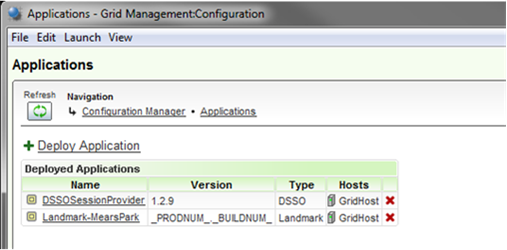
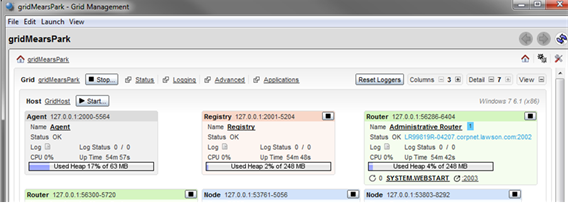
  1. Access the Grid. (If you need instructions for how to do this, refer to Grid documentation.)
  2. From the main Grid page, select Advanced from the menu at the top of the page.
  3. Navigate to Configuration > Configuration Manager > Applications and select the correct application.
    Selecting the correct application, in this example "Landmark-MearsPark" is correct
  4. Select Edit Properties and then scroll to the IPA Settings section of the page.

    Most of the properties described in the sections that follow can be updated. Mail and timeout properties, described at the end of this section, are updated properties through Infor Landmark Technology or the Landmark Web UI.

  5. Locate the property pfi.escalator.pollingFrequency.
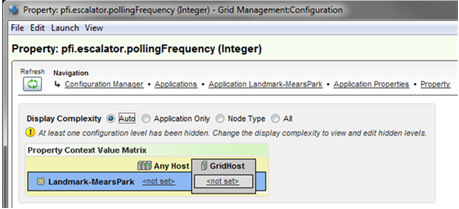
    Updating a property for GridHost
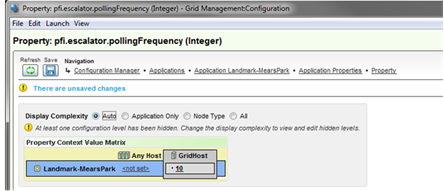
  6. To update the property, specify 10 in either of these fields: GridHost or Any Host.
    • Update GridHost if you are updating the properties for only the current instance of Infor Process Automation.

    • Update Any Host if you use horizontal scaling and have multiple installations of IPA, all of which should have the same properties.

  7. After you type the correct number of minutes, click Save on the pop-up dialog box and then click Save again from the toolbar (disk icon). You will be prompted to click Save one final time (three Saves total).
    Saving a property