Generating the new data "snapshot"
Use this procedure to generate the data set, which you can then export to another tool.
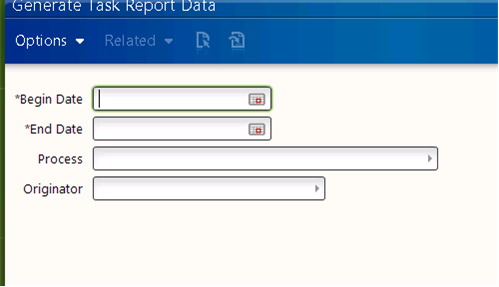
The Generate Report Data feature requires you to specify start and end dates for the data set. Ensure to supply dates that are in the past and to specify a timeframe that does not result in an unmanageably large data set.
- To generate task data, select .
Exporting the generated data to a CSV file
Before you perform this procedure, you must have generated report data (previous procedure).
-
Access the Process Server Administrator and select Reporting > Process Reporting > Process Report List (or Task Reporting > Task Report List).
-
From the Report List form, select Options > Export to CSV.
The data will appear on your screen and will also be saved to a file in your temporary file location (as specified by your operating system) with the name ExportToExcel[#].csv (where "[#]" is generated by the system).
The data will open in whatever program is configured to handle .csv files on your system, typically, Microsoft Excel, and you can view and manipulate it per your needs.