Enabling or disabling FIPS at Windows level
This setting is disabled, by default.
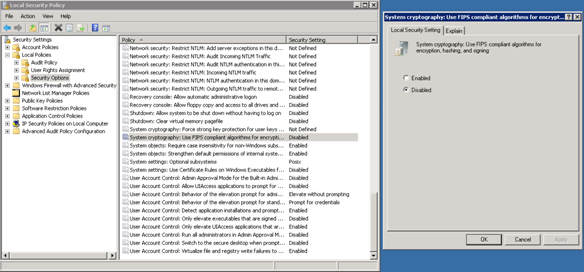
To enable or disable FIPS on the Application server:
- Execute the 'gpedit.msc' command through the 'Run' window.
- Navigate to
- Right click on the
System Cryptography: Use FIPS Compliant algorithms, hashing and signing policyand select Properties. Select the option. - Click to save the changes and click to close the window.
- Restart windows server.