Creating a Work Group
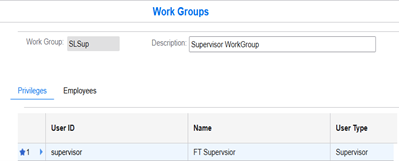
Use the Work Group form to create a work group for an employee.
- Specify this information on the Privileges tab:
- User ID
- The ID of the user.
- Name
- The name of the user.
- User Type
-
The type of role assigned to the user. Possible value:
- Supervisor
- Administrator