Setup Transaction Parameters
Access the Parameter Group Settings form.
To access this form you can select, .
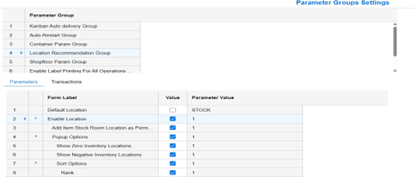
You can select these parameters on this form:
- Enable Location
- Add Item Stock Room Location as Perm
- Popup Options
- Show Zero Inventory Locations
- Show Negative Inventory Locations
- Sort Options
- Rank