Setting up Data Sync Control
- Click .
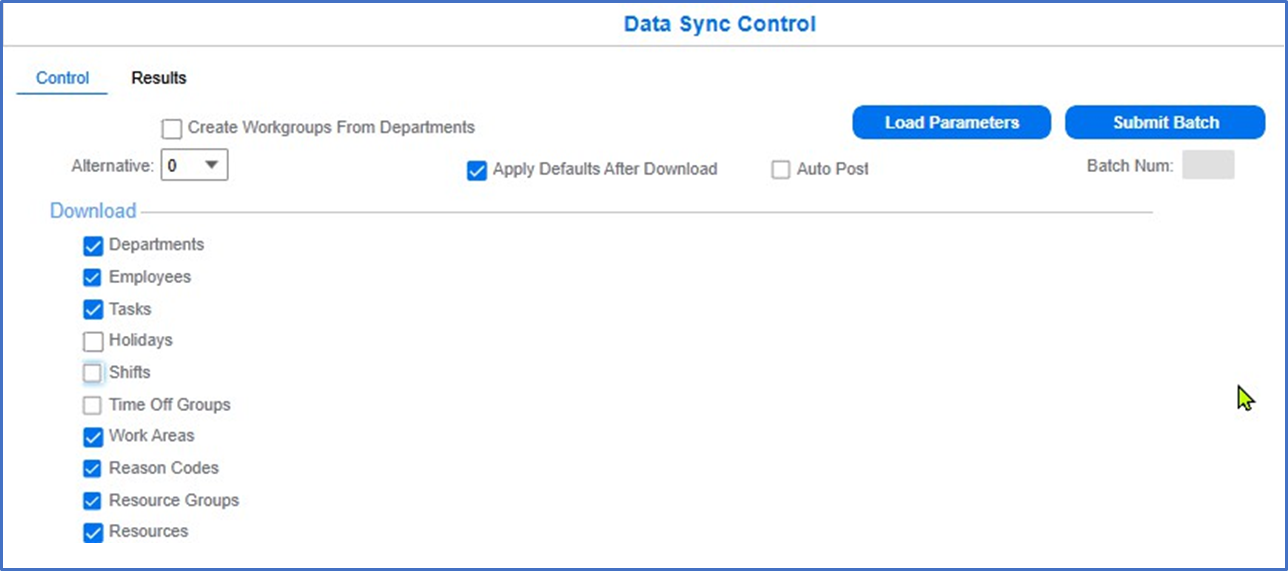 Note: For existing factory track setup, clear the Employees check box to avoid employees download from CSI. For Non Time Track implementations some of the options (e.g., Time Off Groups) will not be visible on data sync
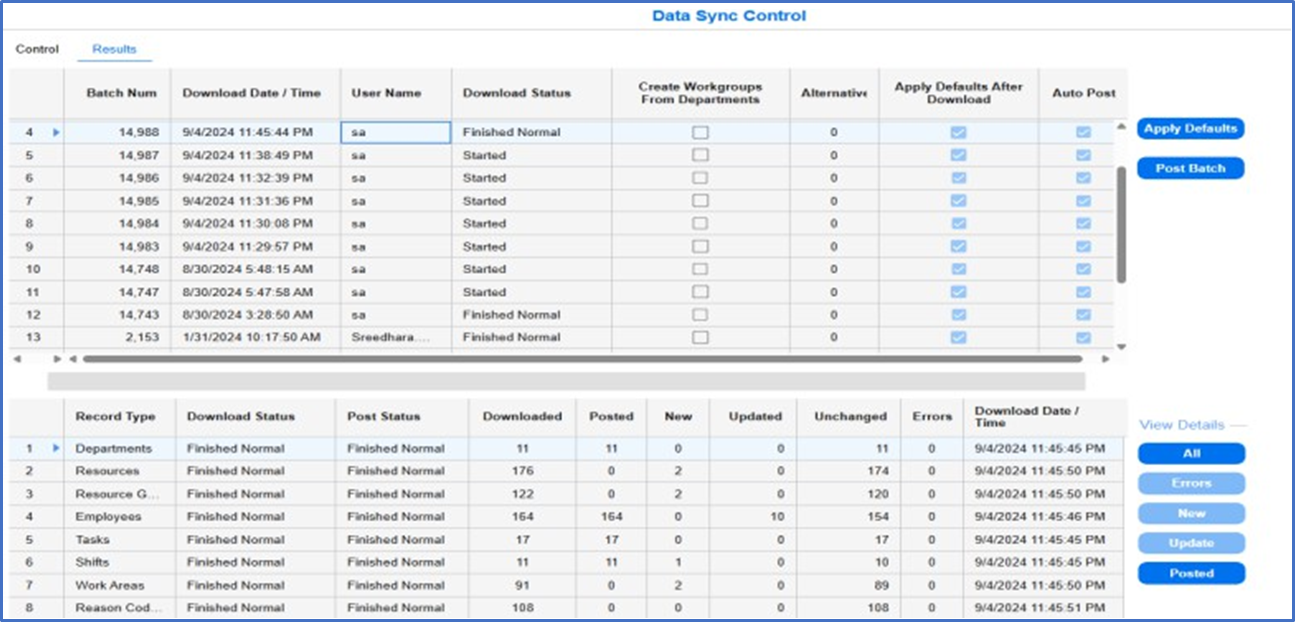
 - Click on the Results tab to view the status of the downloaded data.