Configuring tabs and menus for reports
A list of reports is available from the Reports tab.
Creating the Action Set
- Open the Action Set form.
- Select a report workflow. The Description is the label in the client.
- Select the Target Data Symbol.
- Select the Display as Report check box. In this example, the report is displayed for the Formula symbol.
- Click . The Action Set Restrictions window is displayed.
- Select the required class or classification to be restricted for this Action Set.
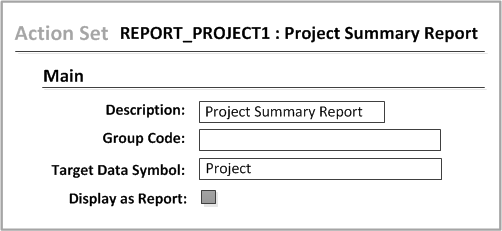
For more information about the Action Set form, see the Infor PLM for Process Workflow Administration Guide.