Adding ingredients
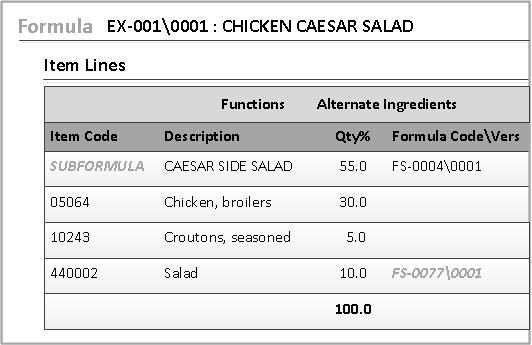
Add items, as ingredients, to the Formula form. You can also add sub-formulas and manufacturing items as nested formulas.
In this example, the SUBFORMULA was added using the Formula Code\Vers column. The other items were added using the Item Code column. Items 05064 and 10243 are raw material ingredients. Item 440002 is a material component type; it is the manufacturing item for the FS-0077\0001 formula.
Note: You can create views using the option and can be used in Optimization Modeler and Formula Modeler. If you modify the column layout after selecting a view, an asterisk (*) appears next to the view which indicates user personalization. You can select to remove personalization and restore the original item lines view configuration.