Groups

A group is the set of multiple datasets that are loaded to optimization quest in a single run. This grouping option is only needed for optimization quest. This is one of the initial steps that any business user or data scientist needs to perform as optimization models requires one more datasets data to be supplied in order to solve the business use case or problem.

Creating the group

  1. On the Overview page, click Create new.
  2. Specify a name. These characters are valid: A-Za-z0-9@#$&:[]-`.+, "s_.
  3. Optionally, specify a description.
  4. Search the dataset list and select the single or multiple datasets. Once the datasets are selected the respective dataset cards are displayed on the main canvas of Details page.
    The high level information is available on the card. Further details of the datasets can be viewed by expanding the card.
  5. Click Save.

Group status transitions

This diagram shows group status transitions.
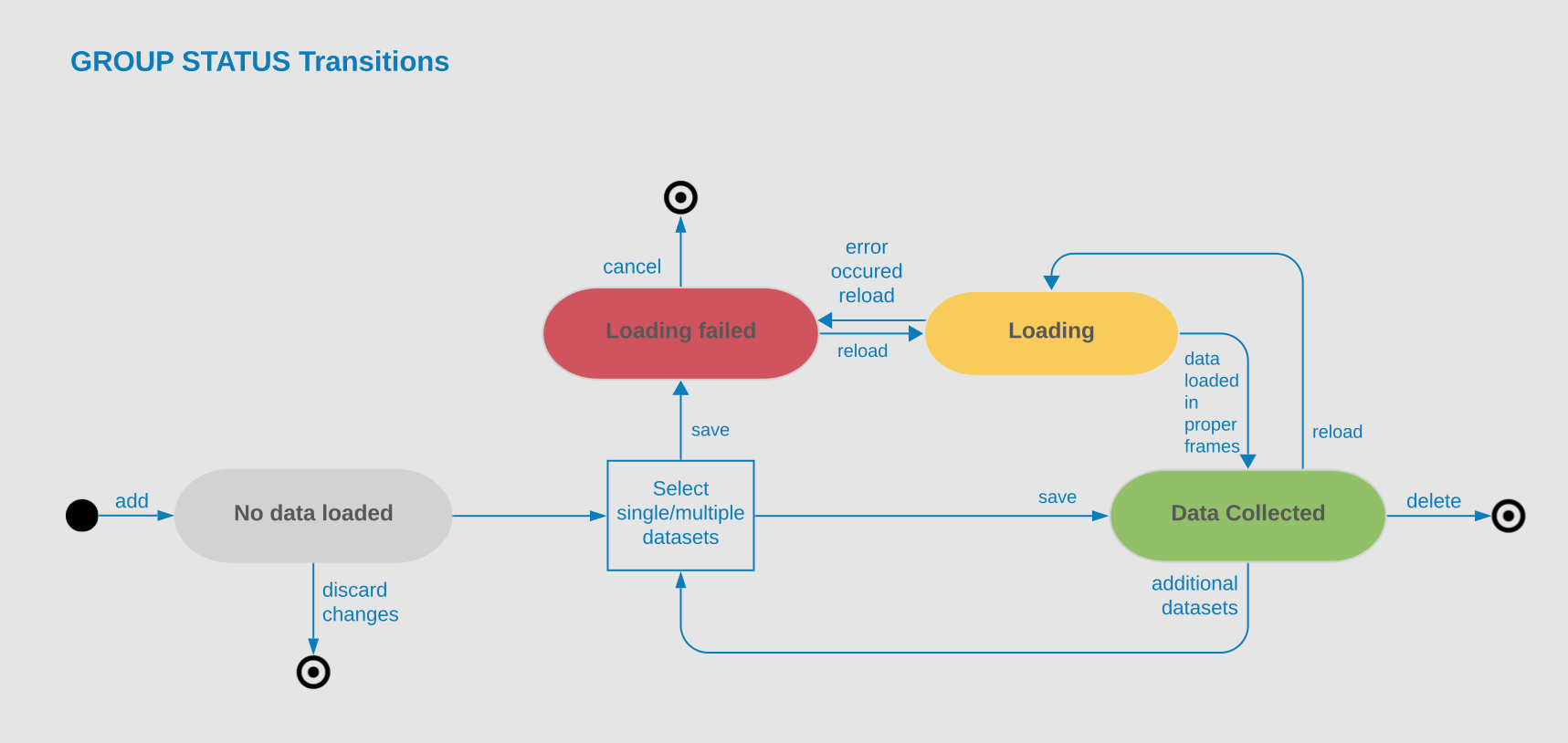
Group status transitions diagram