Auto Disabled Workflows
Workflow schedules are automatically disabled by the system to maintain efficiency and prevent unnecessary resource consumption. The system disables a schedule after 100 consecutive failures or after a continuous failure period of 30 days, whichever occurs first.
The system disables workflow schedules that meet the failure threshold. A disabled schedule stops running until you re-enable it.
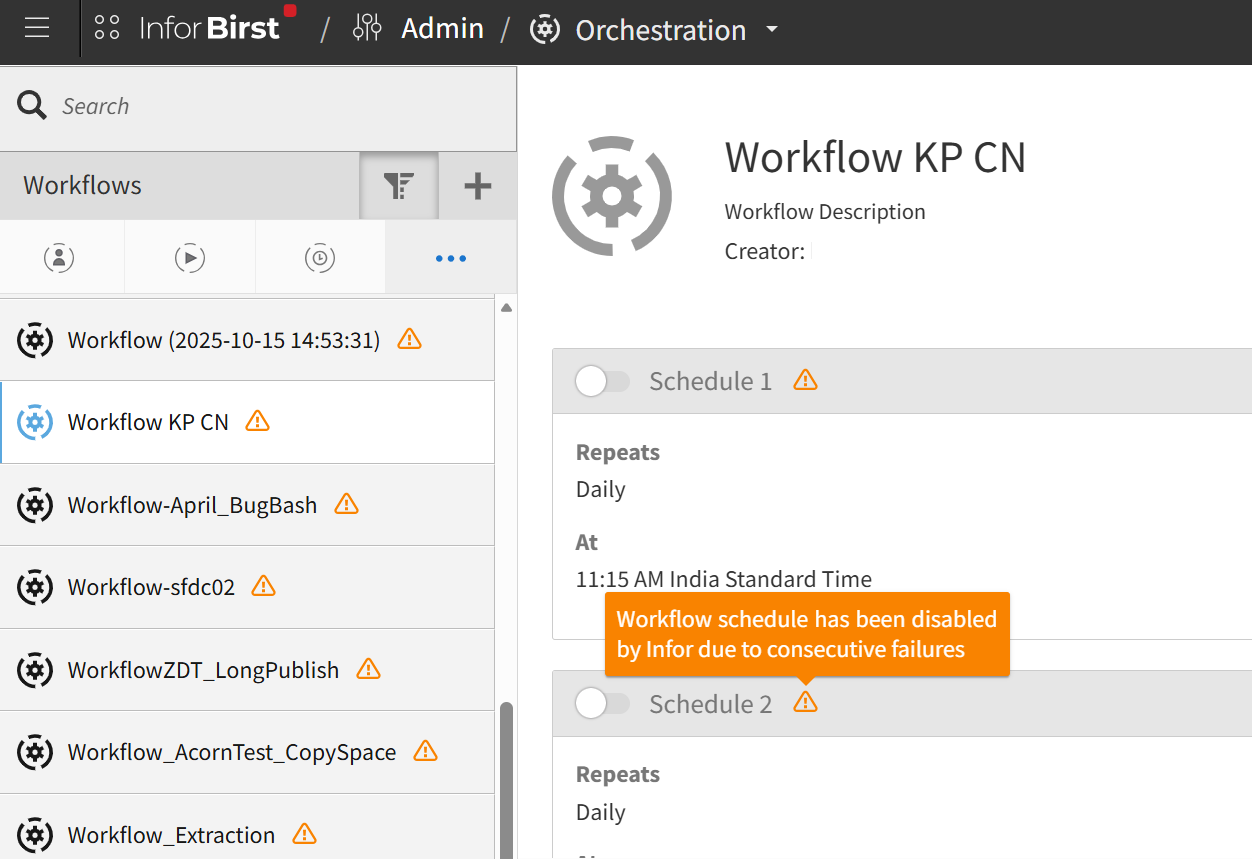
You receive advance email alerts when a schedule approaches the failure threshold.
An email is sent once the Workflow schedule is disabled.
You can identify disabled schedules through the visual indicators on Workflows or schedules, or through the Auto Disabled Workflows filter in the workflow list.
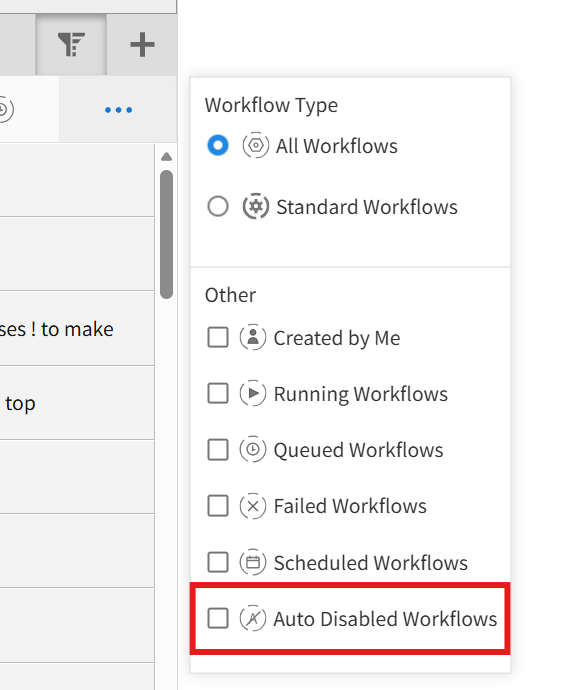
You can enable disabled schedules from the workflow list.
Note: The Workflow displays the alert icon even when all schedules are not re-enabled.