Expression Library
The module is available in . The module is available to admin users by default. Non-admin users can access the module after an administrator grants access.
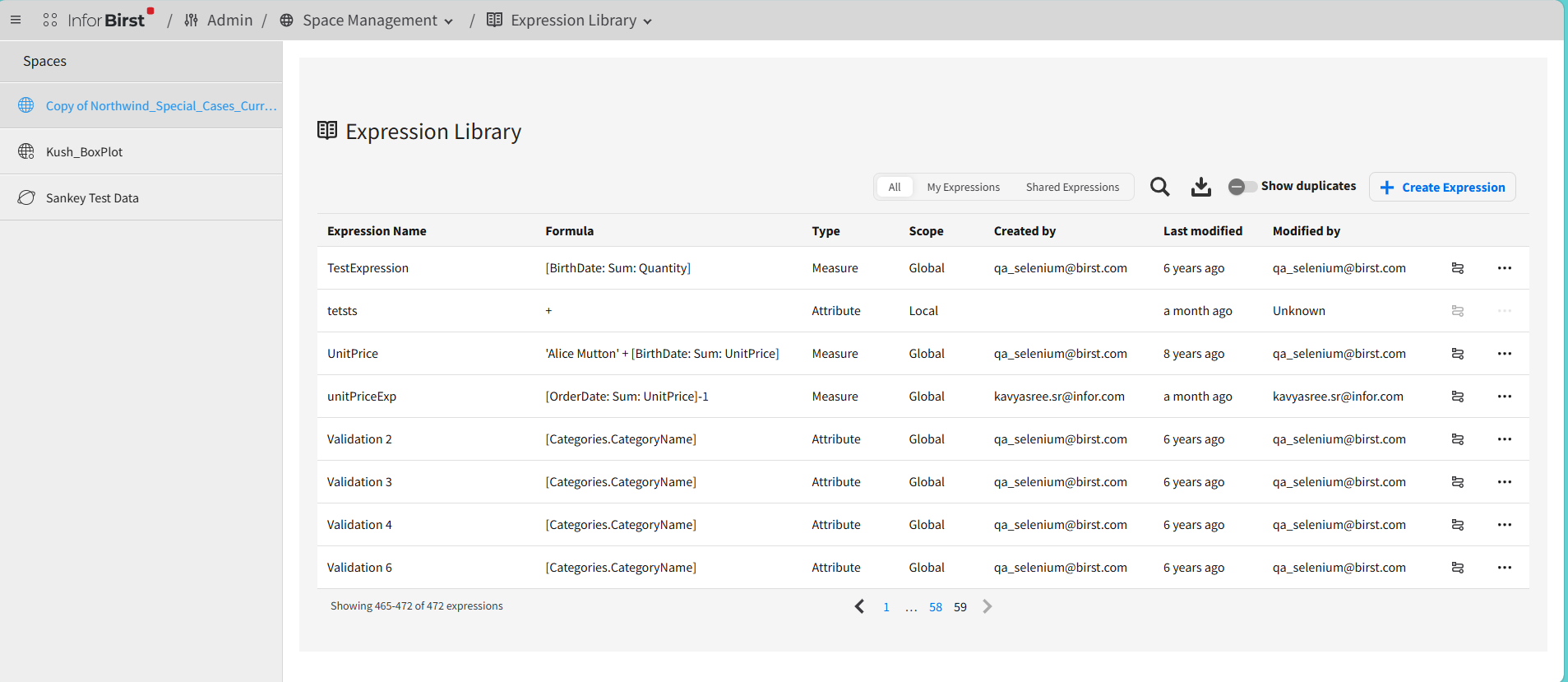
Select a space, and then select to view existing expressions and their details.
The details include:
- Expression Name
- Formula
- Type
- Scope
- Created by
- Last modified
- Modified by
Tabs available in the :
- All: All available expressions
- My Expressions: Expressions that are created by you
- Shared Expressions: Expressions that are created by other users of a space
To export the to the CSV or Excel format, click the icon.
To see duplicated expressions, enable the switch. You can base duplicates on the name and formula.
To edit or delete duplicates, click at the end of the row.
To see where an expression is used, click the icon at the end of the row.
For details, see Impact Flow.
Creating an expression
- Click the button.
- In the Expression Name field, specify the name of an expression.
- Select Expression Type
- Optionally, specify the description, subject area and format.